11.16.2011

NaNoProgMo…How's your "prog"?

Today I bring you an inspirational guest post from Teresa from Write On, Mom! / Mom Grooves who encourages all us NaNoProgMos to keep on keeping on.
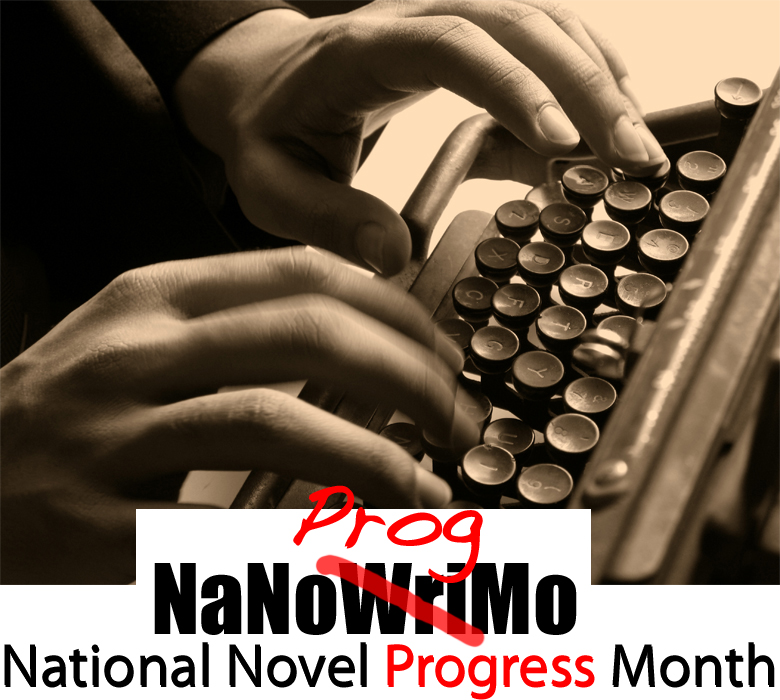
Hosted by Lauren from LaurenWayne.com / Hobo Mama
and Teresa from Write On, Mom! / Mom Grooves

Okay! Time to get serious here. I have barely completed three days of my goal for the past 14 days. The good news is that there are still TWO full weeks left in this wonderful month.

I want to encourage everyone participating with us for NaNoProgMo (or anyone who wants to start now!) to pick up your proverbial pen and finish the month writing. It doesn't matter what you've done or have not done so far. I doubt anyone can be as far behind as I am, so let's bring up the rear together!

I also want to send each of you who are NaNoProgMo-ing a little gift. I don't want to wait until the end of the month. I believe in rewarding artists for the process. So, send me your address and your gift will be in the mail. I'd love for you to have it while there's still at least a week left. Even if you just join up now or if you haven't completed a minute of your goal yet, send me your address and get in on this. Send info to: tree@momgrooves.com

This is about Progress, after all. There is no finish line necessary, no word count to define success or failure. Just progress (which I, personally, will re-define to accomodate exactly as far as I get.)

I do still want to get somewhere.

I could list some pretty fancy "reasons" why I haven't been writing every day. Extremely valid. Extraordinarily compelling. Yes, I have reasons not to write. But I also have one simple, vital reason to write. I'm a writer. It's stamped on my ticket to this incarnation. Writer. Whatever else I might be or do will not change that. It is a "Prime Directive" for my soul.

Honestly, I'm afraid to start. I'm afraid to try and get into it. There's no time. I have no brain anymore. I'm so foggy. Why didn't I write before I had a child?!!!!

Breathe...

Today I will read what I have written so far. Just read it and find my way back into the rhythms of this particular story. There's already a vibration all its own that exists in the pages I have. Every word I write, every chapter, every character I snatch from the ethers and bring into existence creates this almost unbearable joy in me. Sometimes I start and get so excited I have to get up and walk around. Then I tend to eat, probably to try and ground myself. But after that I usually get tired and just stop.

Two weeks left and I will resist the urge to increase my daily goal to 2 hours just to catch up. I'm still aiming for an hour a day.

I'll leave you with a few of my favorite quotes and anecdotes from For Writers Only by Sophy Burnham (the book that has been in every bathroom I've had for the past 15 years.)

11.15.2011

Customize your Facebook links in status updates

Here's a nice, simple tutorial for how to make the links you put into your Facebook status box look the way you want them to.

I believe it was Kelly of KellyNaturally.com who first clued me in to changing the descriptive text, and she's actually someone I've been talking with recently about frustrating Facebook changes that have restricted our customizations. That said, I hope most or some of the following still work for you (or will in the future)!


(Click images to see them larger.)


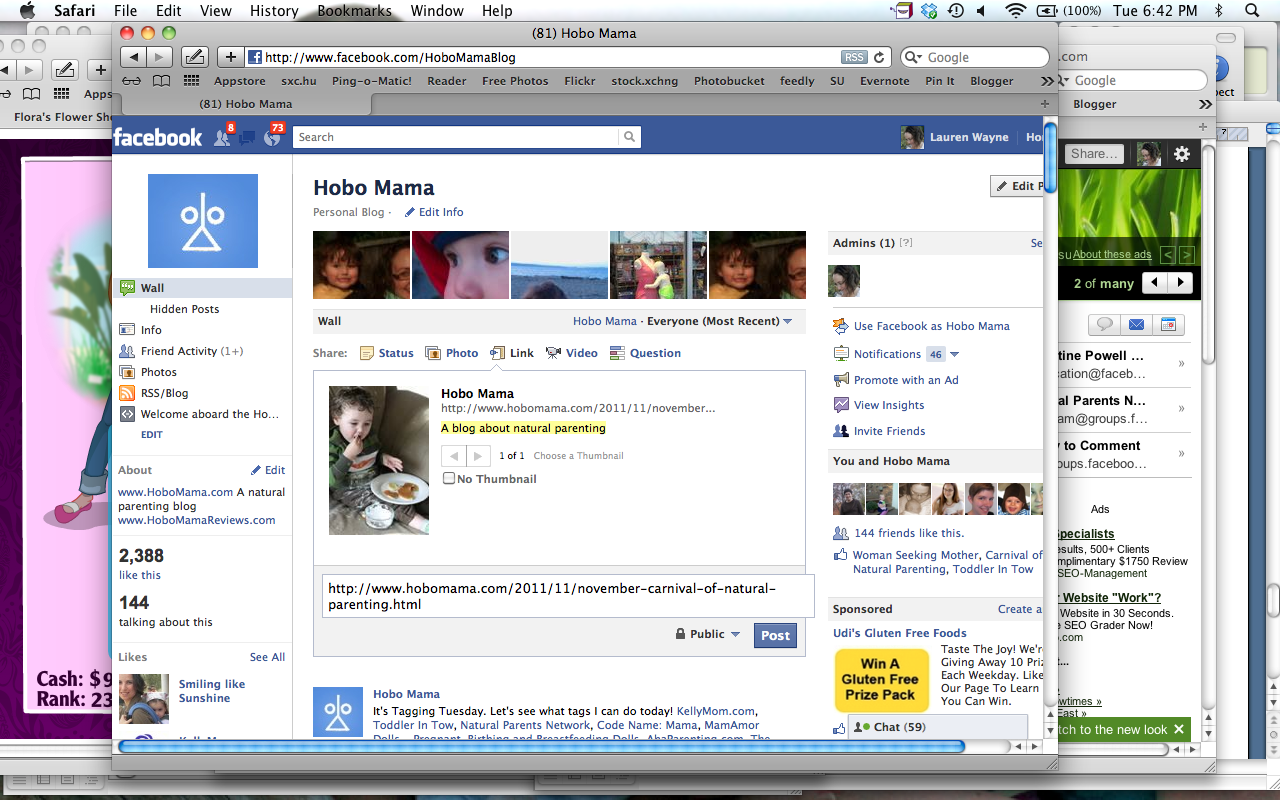
When you paste or type a link into the status box, Facebook will try to pull up a title, URL, description, and thumbnail for you. Sometimes this is helpful. Sometimes this is a big bucket of fail.

Randomly, Facebook used to pull the post description from my first comment. I believe this is some weird Blogger–Facebook glitch. It was not ideal.

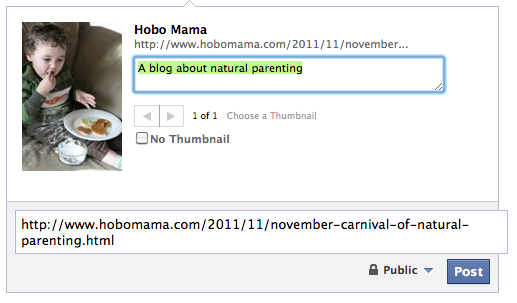
Since adding my meta keywords and blog description, Facebook now draws from that — in this case, A blog about natural parenting — which is marginally preferable though still off.


But I can change it to be what I want.

Hover your mouse over the description, and you'll see it highlights.


Click it, and now it's editable.

11.02.2011

Help me choose a Facebook username!

I'm so excited that I'm officially over 25 "likes" on my LaurenWayne.com Facebook page. That means … drumroll … I get to choose a custom username!

What I can't figure out is … what should my new URL be?

If you're unfamiliar with usernames for pages, it's the little tag after http://www.facebook.com/ — so, for instance, my Hobo Mama page is http://www.facebook.com/HoboMamaBlog, whereas my Lauren Wayne, author page is http://www.facebook.com/pages/Lauren-Wayne-author/104277789602502. (Not so pretty.)

LaurenWayne is taken, of course. As is LWayne or anything else intuitive.

So I made a little poll on my page with some other options, and right now it's neck and neck between AuthorLaurenWayne and LaurenWayneOfficial. Unless we count Amanda's contribution…


If you believe in democracy, head on over and cast your vote!

10.31.2011

Join us for NaNoProgMo: National Novel Progress Month!


Introducing National Novel Progress Month, or NaNoProgMo in cool-people terms! This is a joint undertaking of encouragement and motivation by Teresa from Write On, Mom! / Mom Grooves and Lauren from LaurenWayne.com / Hobo Mama.

Maybe you're like us — inspired by National Novel Writing Month (NaNoWriMo) but unable or unwilling to participate this year in writing a novel from scratch in November.

We'd like to offer you some support as you work on your novel writing in November, in whatever form it takes!

10.20.2011

National Novel Writing Month starts soon!

Who's doing NaNoWriMo this year?

If you want to join the nonsense of writing a whole novel (50,000 words) in November, you can start preparing now if you'd like by working on an outline and research. (No prose must be included in your November word count, but you can do a little work ahead if you're in the mood.)

Here's my news: After three years in a row of writing a novel in a month, I'm going to sit this November out.

I've officially written too many novels now — but have yet to finish the dang things!

So my November is going to be dedicated to my own private NaNoEdMo, National Novel Editing Month. If you want to join me, we could make it a bit more, um, national.

10.18.2011

Meta description + meta keyword for Blogger templates

Jorje had a good blogging question today. I thought I'd post the answer for anyone else looking to improve SEO (search engine optimization).

For those on Blogger, … they posted this this morning:

Please recheck your XML template, and fill meta description + meta keyword with your blog description and keyword, it's very important to promote your blog :)

Jorje wanted to know where to find the meta tags.

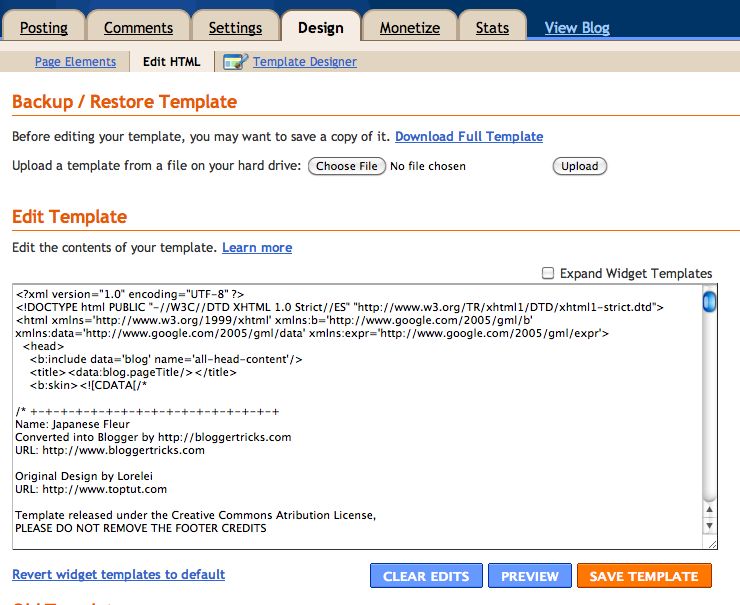
Head to your template!


(Click on any image to see it larger.)


Go to Design --> Edit HTML.

Before working on your template, Download Full Template to save a backup. That way, you can revert to your previous version if something goes horribly wrong.

You make your changes in the big text box, and click Save Template when you're done.

Here's where to go if you're in the new Blogger interface:


Go to Template --> Edit HTML.

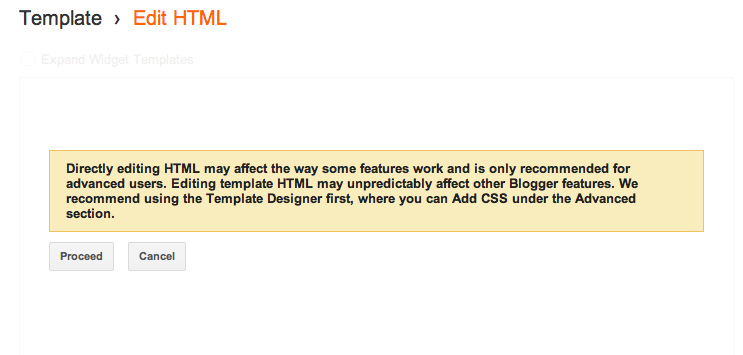
You will now get a warning that you should do no such thing:


Again, back up your template before proceeding.

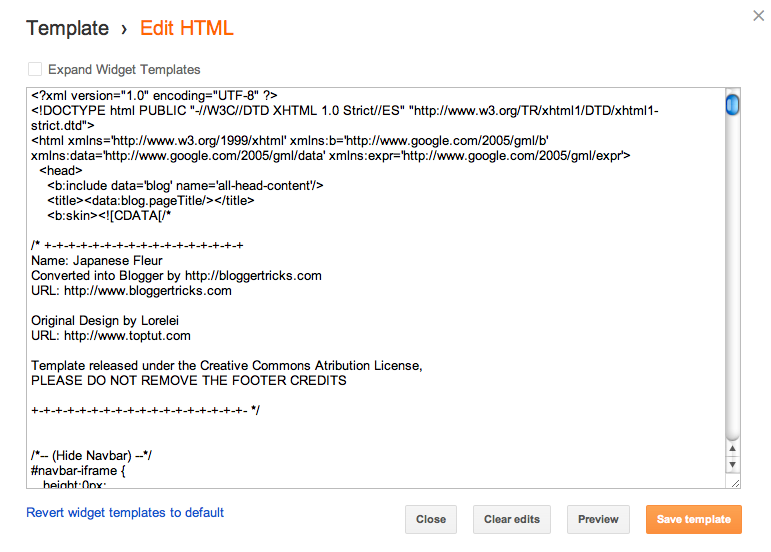
Then you'll be in the same sort of window:


Now that you know where to go, here's what you do once you get there.

8.22.2011

How to create footnotes in Blogger

By popular demand …


Even though there's no built-in way to create footnotes in Blogger, it's easy enough to code linked footnotes into a post in HTML view. Here's how I do it.

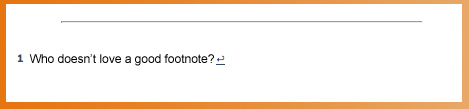
What it looks like for readers


This is my post text with a linked footnote at the end.1

When readers click on the footnote number, it jumps them down to the footnote. Clicking an arrow after the footnote conveniently jumps them back up to where they left off.

Footnotes are a great solution for tangential or additional text, such as caveats, resource citations, or pointless jokes. (I especially prefer the latter.) Readers can choose whether to continue reading the main text, or be delightfully distracted down to your bonus offerings, and then back up again when they're ready to resume.

The HTML code for you

You must enter this code in "Edit HTML" view in Blogger. (I have a tutorial explaining the difference between Edit HTML and Compose if you're not familiar with the two.)

WARNING: NEVER switch back to Compose view once you've inserted the footnote code in Edit HTML!

Code to put in the text where you want the footnote's number to appear:

<a href="#1" name="top1"><sup>1</sup></a>

All right, which is easier for you? I pasted it above so you can see it easily, but here's the same code in a grab box for easier copying/pasting. Take your pick!


Code to place at the bottom of your post:

<hr width="80%">
<p>
<span class="Apple-style-span" style="font-size: x-small;">
<a name="1"><b>1 </b></a>FOOTNOTE<a href="#top1"><sup>↩</sup></a>
</span>


Obviously, replace "FOOTNOTE" with the actual footnote!

Explanation of the codes

These footnotes work through a simplistic process of "name" URLs that reference each other. You tag each part of the footnote with a name. The footnote number in the text is named "top1," and the footnote number at the bottom of the post is named "1."

Then the paired URLs send readers back and forth between these "names" through the href codes. Telling the URL to go to href="#1" sends it to the post's URL but with #1 appended. That # sign tells the code to look for a name that matches what's after the #, and it finds it in our footnote named "1."

Multiple footnotes

If you want multiple footnotes, you simply need to paste the following parts of the codes again, substituting the numbers you need for the word "NUMBER."

Code to put in the text where you want another footnote's number to appear:

<a href="#NUMBER" name="topNUMBER"><sup>NUMBER</sup></a>


That's three replacements at the top, if you're counting.

Code to place at the bottom of your post for multiple footnotes:

You want to add in this line after your first footnote line as many times as you need it.

<a name="NUMBER"><b>NUMBER </b></a>FOOTNOTE<a href="#topNUMBER"><sup>↩</sup></a>

Again, replace the three instances of "NUMBER" with the number you're on.

Here's a grab code for 5 footnotes:


Styling your footnotes

Obviously, you can feel free to alter these codes cosmetically to suit your blog. This is just what I came up with. The basic structure is the "name" links, and the rest is decoration.

I used a "sup" command to make the footnote numbers superscript in the text, added an "hr" line at the bottom to separate the footnotes from the post's text, made the footnote font "x-small" in size, and used a little superscripted ↩ symbol for returning to the text location. Any of those elements could be changed as you wish. For instance, you could have your footnotes appear in a different font face or color, or change how you separate off your footnote area. If you want to copy mine as is, I don't mind, though I'd love any shout-outs to this post you'd care to give!
Related Posts Plugin for WordPress, Blogger...